Why You’re Missing Out If You Travel Without These Smart Glasses

If you travel often and don’t have Ray-Ban Meta Smart Glasses yet, you might seriously be missing out. After using them on multiple trips, I can confidently say they’ve become a must-pack essential for me—and here’s why.

1. The Ultimate POV Camera (Better Than a GoPro)

Ever wish you could capture amazing first-person footage without the hassle of holding a camera? Whether you’re riding a roller coaster, paragliding, zip-lining, or biking with no hands, these glasses are a game-changer. Unlike GoPros, they don’t require bulky mounts, cases, or extra gear. The footage looks incredible—better color, better audio (since they aren’t trapped in a plastic housing), and you stay completely hands-free. Plus, let’s be honest: they’re way more discreet than strapping a camera to your head.

You can check them out here or opt for a cheaper alternative here.

2. Instant On-the-Go Translation

These glasses come equipped with AI capabilities that make navigating foreign countries much easier. Just say, “Translate this,” and they’ll snap a photo, process the translation, and read it quietly into your ears—no one around you will hear it. No more fumbling with your phone’s translation apps or feeling awkward trying to sound out signs and menus. It feels like having a personal interpreter built into your sunglasses. Pro tip: you can even disable the “Hey Meta” wake word so they’re always listening when you need them.

3. All-in-One Travel Companion

These aren’t just a camera or a translator—they’re also your backup headphones, your AI assistant, and your sunglasses, all in one.
Forgot your AirPods on the plane? No problem. These glasses can stream your music directly. Need to make a hands-free call while walking through a busy market? Done. Oh, and since they automatically turn into sunglasses when you step outside, there’s one less item to pack.


Honestly, I don’t regret bringing these on any trip—but I do regret not owning them sooner. I could’ve saved myself a ton of hassle and captured so many more epic moments along the way.

If you’re someone who travels regularly, loves gadgets, or just wants to simplify your travel gear, these smart glasses are worth every penny. And with multiple styles and colors (Ray-Ban partnered with Meta to make sure they actually look good), there’s probably a pair that’ll fit your vibe.

Check out the ones I recommend here or the cheaper option here. Safe travels!

The links above are affiliate and support me at no extra cost to you.

Why Smart Toilets Never Took Off: We Still Haven’t Flushed the Old Way

Smart toilets promised to change everything about the bathroom experience. Heated seats. Built-in bidets. Voice commands. Health sensors. Some even offered mood lighting and integrated speakers—for those moments when cleanliness meets vibes.

In Japan and parts of Asia, smart toilets have been common for decades. But in the West? In 2025, most people are still reaching for the same old toilet paper roll.

What happened?
Why haven’t smart toilets become a household staple, despite years of innovation, hype, and pandemic-fueled hygiene obsession?

Let’s get into the messy reality of the smart toilet dream—and whether it still has a future.


The Pitch: A Throne Fit for the Future

At their best, smart toilets are genuinely impressive feats of engineering. Brands like TOTO, Kohler, and Brondell have created toilets that do far more than flush:

  • Heated seats that remember your preferred temperature
  • Automatic lids that rise when you enter
  • Bidet systems with adjustable water pressure, temperature, and angle
  • Warm air dryers to eliminate the need for toilet paper
  • Deodorizing fans, ambient lights, and even music sync
  • Self-cleaning nozzles and bowls
  • Some even offer health analytics—analyzing waste for hydration levels or signs of illness

During the height of COVID-19, when hygiene was top of mind, sales of bidet attachments spiked in the U.S. It felt like smart toilets were finally going to catch on.

But two years later, most Americans are still using the same basic bowl.


The Obstacles: Why the Smart Toilet Didn’t Go Mainstream

1. The Price Problem

A top-tier smart toilet can cost $3,000 to $10,000+. Even retrofitted smart bidet seats start at $300–$800.
That’s a lot to spend for a product that, to most people, already works fine.

2. Installation Isn’t Easy

Unlike a phone or speaker, a smart toilet requires plumbing upgrades, electrical work, and often professional installation.
Renters? Out of luck.
Older homes? May not even have outlets near the toilet.

3. Cultural Resistance

In much of the U.S. and Europe, bidets and smart toilet features are still seen as exotic or unnecessary.
For many people, the idea of a device spraying water in sensitive places feels uncomfortable—or just too much.

4. Overkill for Most Users

When you’re half-asleep at 2AM, most people don’t want a light show, a song, or a health readout. They just want to go.
The very “smart” features that make these toilets feel futuristic often feel overengineered for a daily, natural function.

5. Privacy and Data Concerns

Toilets that analyze your health? Cool.
Toilets that store, transmit, or sell that data to third-party apps?
A terrifying, very real possibility.

In a world already suspicious of smart assistants listening in, the idea of a smart toilet “watching” you is a hard sell.


Where Smart Toilets Are Thriving

While they’ve struggled with Western consumers, smart toilets are succeeding in specific markets and use cases:

  • Luxury Hotels & Spas: High-end experiences where comfort justifies the price.
  • Hospitals and Elder Care: For patients with limited mobility, bidets and auto-flush features are life-changing.
  • Tech-Enthusiast Homes: Smart homes where the owners want everything connected—from lights to locks to loos.
  • Japan & South Korea: In many homes, smart toilets are standard, not special.

And lately, a growing number of eco-conscious buyers are turning to smart bidets to reduce toilet paper waste.


The Future: Still Flushed with Potential?

Despite its slow adoption, the smart toilet isn’t going away. In fact, it’s starting to get smarter and more medically relevant.

What’s Next:

  • Urine and stool analysis to monitor hydration, nutrient levels, or even detect illnesses like diabetes or colon cancer early.
  • Smart reminders to hydrate or seek medical attention based on waste data.
  • Voice assistants integrated directly (for real)—“Alexa, start my morning cleanse.”
  • Energy-saving, water-efficient designs that reduce utility bills.
  • Modular toilet tech that lets users upgrade seats and features without replacing the entire fixture.

Startups and medical researchers are especially interested in toilets as daily diagnostic tools—because unlike wearables, you don’t have to remember to use them.
You just… do.


The Takeaway: The Smart Toilet Didn’t Fail—But It Also Didn’t Flush Away the Old World

In 2025, smart toilets are stuck in a strange place:
Too advanced for most people, too useful to ignore.

They haven’t changed the world.
They haven’t replaced the classic toilet.
But in the right places—for the right people—they’re already essential.

And as prices drop, data gets smarter, and cultural norms evolve, the smart toilet may still find its moment.

Because if there’s one thing we can count on:
Everyone has to go.
And someday, your toilet might be the one telling you more than you expect.

If you want to check out an affordable smart toilet that solves some real problems, check out this affordable one here. (affiliate)

I Survived 24 Hours Living in Fisheye Vision

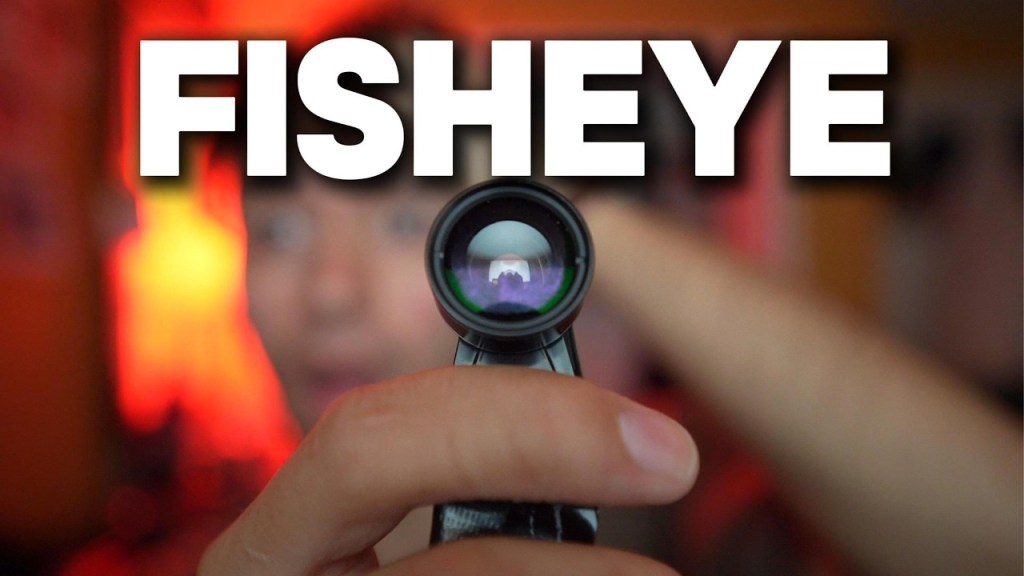
Have you ever wondered what life would be like if you lived with a constant fisheye lens glued to your face? I built a $5 fisheye lens mask (you can grab the lens itself here) and wore it for an entire day. What followed was a chaotic blur of distorted visuals, social awkwardness, and surprising life lessons.

The Setup: Fisheye in the Wild

This DIY mask looked like something from a horror film—and it made sure everyone around me knew it. Even in the first few minutes, random strangers were shooting confused, judgmental looks my way. One guy practically bolted away from me like I was about to cast a spell.

Challenge #1: Sports with a Twist (or Warp)

Running across a grassy field suddenly felt like navigating a funhouse. With every step, my depth perception betrayed me. My hands stayed in front of me like a zombie because everything ahead looked both incredibly close and impossibly far at the same time.

Trying to hop a fence? Let’s just say I got lucky. But hey, I celebrated like I’d won an Olympic event.

Challenge #2: Basketball and Humiliation

Shooting hoops with a warped fisheye perspective was a whole new level of frustrating. I could barely see where my arms were, let alone the basket. Every shot felt like guessing the distance between Earth and the Moon.

Spoiler: I missed almost everything… but one chaotic and unexpected win made me feel like Michael Jordan for a brief moment.

Challenge #3: Navigating McDonald’s (and Public Judgment)

Ordering food at McDonald’s with this mask on felt like walking into a roast session. People either laughed at me or stared like I had horns. One brave employee broke the ice, asking if this was cosplay or some elaborate prank.

Nope—just testing how it feels to live like a human fish.

Eating with fisheye vision? Not fun. My food looked unappetizing, and finding my mouth became a puzzle in itself.

The Toughest Part: Social Isolation

The hardest part wasn’t the sports or the vision distortion—it was the way people reacted. Even when I tried approaching someone near my car for a chat, they avoided me like I had the plague.

By the end of the day, I learned that walking around with a literal mask on your face gives you an odd sense of freedom. People may judge, but it weirdly boosts your confidence because your real face is hidden behind the absurdity.

The Final Test: Removing the Mask

Finally, I blindfolded myself, walked to a sunset viewpoint, and took off the fisheye mask to see the real world again. The view was supposed to be incredible—but thanks to the weather, all I got was a rainy gray sky.

Still, after a day of nausea and weird stares, it was oddly comforting to be back in reality.


Moral of the story? Try something ridiculous, and you might learn a thing or two about how much you actually care about what strangers think.

Want to try it yourself? The $5 fisheye lens is available here (affiliate)—just be ready for some strange looks.

The Story of the MouthPad: The Wearable That Tried to Turn Your Tongue Into a Touchscreen

At first glance, the MouthPad sounded like science fiction.
A Bluetooth touchpad… that lives in your mouth? Controlled entirely with your tongue?

When it debuted in early 2023, it was a head-turner—a sleek dental retainer embedded with sensors that promised to let users control phones, computers, and even robots using nothing but their tongue. For people with disabilities, it was a beacon of accessibility. For the rest of the tech world, it was a curiosity.

By 2025, though, the buzz has quieted. Despite a wave of media coverage and a few glowing TED-style demos, the MouthPad hasn’t gone mainstream—and likely never will.

But this isn’t a story of failure. It’s the story of a wild idea that may have arrived too soon… or exactly when it was needed.


The Pitch: A Hands-Free, Always-On Interface

The MouthPad was designed by Augmental, a Boston-based startup spun out of MIT. Their goal? To build a truly invisible interface—something you could wear all day, that wouldn’t require your hands, your eyes, or even much movement.

  • The device fits like a retainer, sitting on the roof of your mouth.
  • It connects via Bluetooth to phones, tablets, and laptops.
  • A pressure-sensitive sensor lets you swipe, tap, or click with your tongue.
  • You can navigate a cursor, trigger commands, or type—without touching a single button.

It was a brilliant accessibility tool. For people with spinal injuries, ALS, or limb differences, the MouthPad offered a level of control that felt futuristic—and dignified.

It even attracted attention from AR and VR developers, who saw it as a possible input method for headsets where traditional keyboards and touchscreens don’t make sense.

But once the headlines faded, the challenges became clearer.


The Hurdles: Why the MouthPad Struggled

1. Comfort & Wearability

No matter how sleek the design, it was still a device in your mouth.
Users reported soreness, dry mouth, and occasional discomfort after prolonged use—especially while speaking or eating.

2. Learning Curve

Using your tongue to swipe and tap is not intuitive, especially for people without a pressing need. The gestures took practice, and typing speed was limited.

3. Battery and Charging

Early units required daily charging. The battery lasted around 5–6 hours with active use—less if paired with a headset or smart glasses.

4. Price & Access

Like many accessibility-focused devices, the MouthPad wasn’t cheap. Early access required an application, and pricing wasn’t public—but estimates placed it in the high hundreds to low thousands range.

For hospitals, insurance providers, and individuals—especially in countries without universal healthcare—it wasn’t an easy buy.

5. Mainstream Misunderstanding

The average tech consumer didn’t know what to do with it. It wasn’t for gaming. It wasn’t flashy. And while its accessibility potential was massive, it lacked a simple, universal appeal.


The Current Status: Niche, But Not Forgotten

As of 2025, Augmental continues to refine the MouthPad, focusing on clinical use, research partners, and assistive technology networks. They’ve made improvements in:

  • Fit customization using 3D dental scans
  • Battery life extensions
  • Gesture precision
  • Waterproofing and saliva resistance

But they’ve shifted away from the idea that the MouthPad will be for everyone. It’s not a mass-market gadget. It’s a tool—for those who truly need it.

And in that space, it still shines.


The Bigger Picture: Is This the First Step to Invisible Computing?

The MouthPad may not have changed how most of us interact with technology—but it challenged everything about how we could.

It asked:

  • What if our mouths are the last free interface in a world of screens?
  • What if true hands-free control isn’t voice—it’s presence?
  • And what happens when we stop thinking of computers as things we look at… and start thinking of them as things we wear?

That idea still matters. And it’s not alone.

  • Neural interfaces from companies like Neuralink and Synchron aim to translate thoughts into actions.
  • Tongue-based joysticks and dental implant sensors are being explored in the military and assistive tech sectors.
  • Smart retainer-like wearables may one day track hydration, blood sugar, or detect illness based on saliva.

In that future, the MouthPad may be remembered not as a flop—but as a pioneer.


The Takeaway: The MouthPad Didn’t Fail. It Just Spoke to a Different Crowd.

It wasn’t trying to be the next iPhone. It was trying to solve problems most of us don’t even think about.

And maybe that’s the point:
Not all great ideas are built for everyone. Some are built for someone.

The MouthPad may never be mainstream.
But for the right people, it’s a revolution—hidden in plain sight.

$20 vs. $120 Portable Projector | Is the Budget Model Worth It?

Looking for a portable projector but unsure if you should grab the cheapest option or invest a bit more? I compared a $20 budget projector (available here) against a more feature-packed $120 projector (currently on sale here) to see how they really stack up.

What You Get Out of the Box

The $20 projector surprised me with its accessories. Inside the box, you get:

  • The projector itself
  • A power cord
  • An AV cable (for older devices)
  • A remote
  • A manual

Despite the price, the $20 unit includes a wide variety of ports: USB, HDMI, AV input, Micro SD slot, Micro USB, and a headphone jack. It’s designed to connect to external drives, laptops, game consoles, or older media players.

The $120 projector, on the other hand, comes with:

  • A larger projector with a swivel base
  • A USB-C charger (big plus)
  • The exact same style of remote as the cheaper model
  • A manual

While the $120 projector has fewer ports (USB-C, USB-A, HDMI, headphone jack), its build quality is noticeably better, and the swivel adjustment is a huge advantage when setting it up.

Setup and Build Quality

Both projectors are easy to set up, but the $120 projector edges ahead in terms of user experience.

The $20 model has buttons on top for power and menu navigation—handy if you lose the remote.

The $120 model requires you to use the remote for everything, but it makes up for that with its smoother design, a more premium feel, and that handy swivel adjustment.

Picture Quality: Bigger Than Expected

At first glance, both projectors deliver surprisingly solid images considering their price points. However:

  • The $120 projector creates a much larger display at the same distance from the wall.
  • It also supports 4K input (downscaled), while the $20 projector maxes out at 1080p.

The picture is sharp on both, but the larger, more immersive screen size of the $120 projector gives it a clear advantage.

Smartphone Compatibility: Dealbreaker for Budget Buyers

This is where the $120 projector really pulls ahead.

The $20 projector does not support direct smartphone connections through its USB port—it only works with external drives. That’s a major limitation if your goal is to stream content from your phone.

In contrast, the $120 projector offers full wireless casting. Connect it to Wi-Fi, tap the cast button on your phone (works like a Chromecast), and you’re ready to stream YouTube or other apps effortlessly.

My Take: Who Should Buy Which?

If you just want something basic for connecting a game console, laptop, or USB drive, the $20 projector is fine and delivers solid video playback for the price (grab it here).

But if you’re looking for wireless casting, easier setup, a bigger screen, and a more portable experience, the $120 projector—especially at its current discount to around $50—is a much smarter purchase. You can find it on sale here.

The above links are amazon affiliate and support me at no extra cost to you.

Final Verdict

For budget buyers who want basic HDMI functionality, the $20 projector works. But if your focus is on convenience, smartphone casting, and a more polished design, the $120 model easily justifies the slightly higher cost—especially given the current sale.

Why the Apple Vision Pro Failed: The $3,500 Headset That Couldn’t See Its Future

When Apple unveiled the Vision Pro in 2023, it was pitched not just as a headset—but as the beginning of something bigger: a new era of computing.

Forget phones. Forget laptops. This was “spatial computing,” and Apple was placing a bold bet on it. With stunning visuals, eye tracking, gesture control, and a brand-new operating system called visionOS, the Vision Pro was sleek, powerful, and, in classic Apple fashion, beautiful.

But by 2025, the Vision Pro hasn’t changed the world. It hasn’t redefined computing. In fact, most people barely remember it exists.

So what happened?
Why did the most hyped product since the original iPhone fall flat?


Act I: The Promise of a New Reality

Apple hadn’t launched a new product category since the Apple Watch in 2015. When Vision Pro was introduced in 2023, it was marketed as the future of productivity, entertainment, and communication—all without the friction of traditional devices.

  • You’d watch movies on 100-foot screens in your living room.
  • Browse Safari in 3D space.
  • Take FaceTime calls where people appeared life-size in your environment.
  • Use your eyes and hands to control everything—no controllers required.

Apple made it look effortless in demos. Critics and fans alike called it the most advanced consumer headset ever made.

But beneath the awe was an undeniable problem: no one could explain why anyone needed it.


Act II: The Price, the Pain, the Practicality

When the Vision Pro launched in early 2024, reality hit hard—and fast.

1. The Price Tag

$3,499.
That was the starting price—and that didn’t include prescription lens inserts, extra battery packs, or accessories.

For most people, this wasn’t a computer replacement. It was a luxury toy that cost more than a MacBook Pro and an iPhone combined.

2. The Comfort Problem

Even Apple couldn’t escape physics. The Vision Pro was heavy—nearly 1.4 pounds on your face. Users reported neck strain, red marks, and headaches after extended use.
Early adopters joked that Apple had reinvented VR fatigue.

3. The Battery Flaw

The headset required a tethered battery pack that lasted two hours. It had to stay in your pocket, clipped to your belt, or placed awkwardly nearby.
For a product marketed as “freeing you from your desk,” it felt ironically… attached.

4. The App Gap

visionOS was brand new, and despite Apple’s push, few developers rushed in.

  • Netflix didn’t build a native app.
  • Spotify said “no thanks.”
  • YouTube? Not optimized either.
    That left users with web apps and tech demos—not immersive ecosystems.

Act III: The Reality Check

By mid-2024, Vision Pro was being referred to as a “dev kit with a nicer shell.” It became clear it wasn’t meant for everyday people—it was for developers, early adopters, and Apple superfans.

Sales reflected that.

  • Initial shipments sold out—but only because they were limited.
  • By Q3 2024, demand plateaued.
  • Return rates were quietly high.
  • Stores went from “line out the door” to “try it in the corner over there.”

The most damning sign?
Even Apple barely talked about it by the end of the year.


Act IV: The Culture Clash

Part of the Vision Pro’s problem wasn’t just technical—it was cultural.

  • Wearing a headset is isolating. You can’t wear it in public without looking awkward.
  • It’s hard to share. You can’t just show someone your screen like a phone or laptop.
  • It lacked a killer app. There was no “FaceTime moment,” no “Instagram for AR.”
  • And crucially: it didn’t feel social.

Apple built a personal productivity and entertainment device—but the world wasn’t asking for one. Not in that form. Not at that price.


Act V: The Aftermath and What Comes Next

In early 2025, Apple quietly shifted its messaging.

Instead of calling it the future of computing, they rebranded Vision Pro as a high-end niche device for:

  • Architects visualizing blueprints in 3D
  • Filmmakers viewing immersive footage
  • Remote workers attending high-end spatial meetings

And that’s where it seems to be headed: a Mac Studio for your face—not an iPhone replacement.

There are rumors of a Vision Air, a lighter, cheaper version due in late 2025 or 2026. If Apple can hit a $1,500 price point and fix the weight issue, they might still have a shot at mainstream relevance.

But the shine is gone. And the original promise—this will change everything—has already slipped away.


The Takeaway: Vision Pro Didn’t Fail Technically. It Failed Emotionally.

The Vision Pro is an incredible piece of engineering.
But it failed to make people care.

There was no must-have reason to buy one.
No app that made it essential.
No cultural wave that carried it into daily life.

It launched with brilliance, but without a clear reason for existing—and in a world flooded with screens and devices, that’s a fatal mistake.

The dream of spatial computing isn’t over. But for now, the Vision Pro remains a headset in search of a purpose.

And until Apple—or anyone else—solves that, the future will stay just out of view.

Can a $5 VR Headset Compete with a $250 One?

It’s no secret that VR headsets vary wildly in price—but can something as cheap as $5 actually offer value compared to a fully-fledged standalone headset like the Meta Quest 2? I tested both, and the results were surprising.

Unboxing & Build Quality

$5 Smartphone VR Headset:
Inside the box, you’ll only find the headset—no controllers, no extra accessories. To use it, you simply slot your phone into the front compartment, which is well-padded to avoid scratches. It worked perfectly with both my iPhone 16 and 12 Pro Max.

There are three knobs for adjusting:

  • Individual focus for each eye
  • Distance between the lenses (IPD adjustment)

The manual IPD adjustment was smooth, and getting a sharp focus was relatively simple.

Meta Quest 2:
In contrast, the Quest 2 includes:

  • Full inside-out tracking sensors
  • Two dedicated hand controllers
  • Three preset IPD adjustments (though the headset allows for additional digital tuning)

While the Quest 2 has fewer physical adjustments for lens distance, the added software fine-tuning makes it easy to dial in your focus once inside VR.

Comfort

The $5 headset wins on weight alone—it’s incredibly light. The only real “weight” comes from your phone. Even after extended wear, it stays comfortable thanks to its simple design.

The Quest 2, while cushioned, is noticeably heavier. During long sessions (in my case, up to 48 hours for a separate test), I experienced discomfort and headaches. For shorter play sessions, though, the Quest 2’s comfort is more than acceptable.

Usability

Meta Quest 2:

  • Fully wireless and standalone
  • Easy setup with intuitive controls via the included hand controllers
  • Seamless connection to SteamVR through apps like Virtual Desktop
  • Wide library of native apps and games, plus productivity tools like virtual desktops

$5 Headset:

  • Works by opening VR apps or YouTube VR videos on your smartphone
  • Surprisingly decent for passive VR video content
  • Can technically be used outdoors due to lack of tracking limitations

Where it falls short is gaming. I tested it with multiple SteamVR apps through phone-based solutions but couldn’t get any game to focus correctly. The image always suffered from significant chromatic aberration (purple/red edges) and persistent blurring, even after extensive lens adjustments.

Visual Quality

$5 Headset:

  • For watching local VR videos (360° YouTube videos, for example), the image quality was passable, and it provided a fun “gimmick” experience
  • For actual gaming or long-term use, the focus and clarity issues make it nearly unusable

Quest 2:

  • When paired with a gaming PC and running SteamVR titles like Skyrim VR (modded), the graphics are immersive, detailed, and sharp
  • Massive jump in visual quality and immersion compared to phone-based VR

Final Verdict

If you just want to dip your toes into VR video content for under $10, the smartphone headset might provide a few hours of fun—but that’s where its usefulness ends.

For anyone serious about VR, whether for gaming, fitness, or even productivity, the Meta Quest 2 is a no-brainer. It’s frequently available on sale and offers a massive range of experiences far beyond passive video watching.

Bottom Line:

  • $5 headset: A novelty, best suited for casual VR video viewing
  • Quest 2: A versatile, high-quality VR system worth every dollar if you want actual interactivity, gaming, or productivity

If you’re ready to step into a proper VR world, check the affiliate links below for the best deals!

Cheap Phone VR
Quest 2 Deals
More Quest 2 Deals

The Rise, Fall, and Re-Emergence of 3D Printers: Why the Revolution Stalled—And Why It Might Finally Be Real This Time

Not long ago, 3D printers were hailed as the future of everything.

In a matter of hours, you could supposedly print a toy, a phone case, a wrench, a car part—even a house. They were going to end supply chains. Reinvent creativity. Turn every home into a factory.

But the hype burned too hot. Too fast.

By the late 2010s, the 3D printing boom had fizzled.

The headlines vanished. The consumer base flatlined. And the machines that once promised to transform our homes into sci-fi workshops mostly ended up collecting dust in garages and tech labs.

But here in 2025, something strange is happening: 3D printers are back. Quieter, smarter, and maybe—finally—useful.

Let’s rewind, examine the crash, and explore why this stalled-out revolution might just be heating up again.


The Peak Hype Era: 2012–2015

Backed by a wave of Kickstarter projects and media headlines, 3D printers entered the mainstream imagination as miracle machines.

  • MakerBot, Ultimaker, and Formlabs made headlines with slick designs and bold promises.
  • President Obama mentioned 3D printing in a State of the Union address.
  • Schools bought them for “STEM initiatives.”
  • Tech blogs claimed every home would soon have one, like a microwave or a PC.

But there was a catch—the tech wasn’t ready for the hype.


The Crash: 2016–2019

As consumers finally got their hands on 3D printers, reality hit hard.

  • They were slow—printing a simple object could take hours.
  • The quality was inconsistent—layer lines, warping, and failed prints were the norm.
  • Software was clunky—you needed slicing tools, calibration knowledge, and constant tweaking.
  • Filament was limited—PLA and ABS dominated, and neither was as tough or flexible as people expected.

And perhaps most damning of all:
No one knew what to print.

Once the novelty of keychains and Yoda heads wore off, printers sat idle. Consumer excitement dried up. MakerBot was sold. The stock of public 3D printing companies plummeted.

The revolution stalled.


The Pivot: 2020–2023

While the public tuned out, the 3D printing industry quietly found its footing again—not in homes, but in workshops, factories, hospitals, and startups.

3D printing began to prove itself in niches:

  • Custom medical devices like prosthetics and dental aligners.
  • Rapid prototyping for industrial design.
  • Replacement parts for machinery and vehicles.
  • Personalized tools and jigs for manufacturing.

During the COVID-19 pandemic, 3D printing got a small but powerful spotlight—printing PPE, ventilator parts, and emergency gear while global supply chains froze.

It wasn’t the flashy consumer story everyone expected. But it was real.


2024–2025: A Smarter, Quieter Comeback

Now, in 2025, 3D printers are once again entering the conversation. Not with hype—but with competence.

What’s changed:

  • Print quality has improved massively. Modern printers like the Bambu Lab A1 (affiliate)and Prusa MK4 can produce smooth, functional, high-res prints right out of the box.
  • Auto-calibration and AI error detection reduce the learning curve. You no longer need to be an engineer to get good results.
  • New materials—from flexible TPU to carbon fiber–infused filaments—make 3D-printed parts stronger and more useful.
  • Speed has doubled or tripled in many modern printers compared to their predecessors.
  • A vibrant maker culture now exists on sites like Printables, Cults3D, and Thingiverse, with tens of thousands of useful (and weird) models.

And crucially—people have more reasons to print now.

From customizing game controllers to making mounts for cameras, repairing broken furniture, or building drone parts, the use cases have matured.


The Next Era: Where 3D Printing Goes from Here

It’s not the “every home has a printer” dream anymore. It’s more focused—and that’s why it might work this time.

1. AI-Generated 3D Models

Designing your own printable objects used to require CAD skills. Now? AI can take a sketch, a description, or even a photo and generate a printable model.
We’re entering the era of “prompt-to-print.”

2. On-Demand Product Manufacturing

Need a part? A phone stand? A new shower hook?
Rather than shipping it from China, you might download it and print it at your local library, office supply store, or micro-factory.

3. 3D Printing in Construction

It’s not science fiction anymore. Entire houses have been 3D-printed in Texas, Dubai, and Mexico—faster, cheaper, and more durable than traditional builds.
By 2030, 3D-printed affordable housing could be a real solution.

4. Bioprinting & Food Printing

Experimental now—but watch this space.
3D-printed meat, organs, and tissues are in research labs today. If the science catches up, this could change medicine and food forever.

5. Hyper-Custom Products

Imagine ordering headphones tuned to the shape of your ears. Or shoes printed to fit your exact stride.
3D printing may finally allow mass personalization, without mass production.


The Takeaway: The First 3D Printing Boom Was a Lie. But the Second One Might Be Quietly Real.

We were told 3D printing would change everything overnight.
It didn’t. And for a while, it looked like it never would.

But the technology didn’t go away—it got better, more useful, and more patient.

Now in 2025, 3D printers aren’t in every home. But they are in workshops, maker spaces, startups, hospitals, classrooms—and increasingly, in the hands of people who actually need them.

It’s not flashy. It’s not viral.
But this time, it just might work.

I Tested the World’s Cheapest Smart Ring—Is It Worth Even $5?

When you hear “smart ring,” what do you think? For most people, it’s a mystery. A smartwatch? Sure. But a smart ring? Today I tested what claims to be the world’s cheapest smart ring, priced at just $5, to see if it’s even remotely useful.

What Can a Smart Ring Do?

Before we get into it, here’s a quick overview of what smart rings generally promise:

  • Heart rate monitoring
  • Step tracking
  • Sleep tracking (duration, quality, sleep phases)
  • Distance traveled & calories burned
  • Body temperature tracking
  • Some advanced models even offer contactless payments, phone call notifications, and even remote control features for smart devices.

But this budget ring focuses only on the basics:

  • Heart rate monitoring
  • Activity tracking
  • Sleep tracking
  • Blood oxygen and blood sugar readings
  • Menstrual cycle tracking (yes, even at $5)

The Unboxing Experience

Inside the box:

  • The smart ring itself
  • A magnetic USB charger
  • A small manual that explains how to wear it (which is actually crucial for this device)

The ring needs to be worn on your index finger with the heart rate sensor facing inward. Oddly, it fit perfectly out of the box—despite there being no size option when ordering.

The App Integration

The ring syncs with an app called LeaAn Health, which tracks:

  • Heart rate and heart health trends
  • Sleep patterns (deep and light sleep)
  • Blood oxygen levels
  • Blood sugar levels
  • Step count, calories, and standing goals

Does It Actually Work?

What worked well:

  • Sleep tracking: Surprisingly accurate. It gave me detailed sleep data that matched my experience, even noting I had too much light sleep.
  • Heart rate monitoring: Consistent readings across the day.
  • Blood oxygen and blood sugar monitoring: These readings seemed reliable based on casual comparisons to other devices.

What didn’t work:

  • Step tracking: Wildly inaccurate. It underreported my activity by about 70% compared to a smartwatch.
  • Exercise tracking: Incorrect durations for running and walking.
  • Standing goal: Completely off. It recorded just 3 instances of standing up when I was on my feet frequently that day.

Build Quality & Comfort

The positives:

  • It’s lightweight and surprisingly comfortable.
  • Charges fast via a magnetic cable.
  • Fits well despite no sizing option.

The Verdict

While it handled sleep and heart rate tracking reasonably well, the step and exercise data were too inaccurate to make this a useful fitness tool. Roughly half of the advertised features either didn’t work or weren’t reliable.

For $5, it’s hard to be upset—but the reality is, you could spend just a little more on a smartwatch with far more functionality and accuracy.

This smartwatch in particular I would recommend WAY more than this: Cheapest Good SmartWatch (affiliate)

If you’re serious about tracking your health or fitness, skip this ring and check out the smartwatch I reviewed previously (linked above). It delivers significantly better value.

The Rise and Reckoning of Smart Rings: Where They’re Headed—and Why Most People Still Aren’t Wearing One

Smart rings were supposed to be the next wearable revolution. Smaller than smartwatches, sleeker than fitness trackers, and powerful enough to track your health 24/7 without ever lighting up or buzzing. For a moment, it felt like everyone from athletes to executives would be wearing a tiny computer on their finger.

But here in 2025, that revolution hasn’t quite arrived.

Yes, smart rings are getting better—more accurate, more stylish, and even smarter with AI. But they’ve remained a niche: embraced by early adopters, influencers, and health tech fans, but still largely unknown (or misunderstood) by the general public.

So what happened? Where are smart rings going next? And what will it take to make them matter beyond the biohacker crowd?


The Spark: Oura Leads the Charge

Though smart rings existed in various forms before 2020, it was the Oura Ring—particularly the Oura Ring Gen 3 launched in 2021—that lit the fire.

Its sleek titanium design, sleep tracking, heart rate monitoring, and readiness score caught the attention of wellness-focused users. It wasn’t flashy—it didn’t vibrate, show notifications, or talk to your phone every five minutes.

Instead, it promised something deeper: a health tracker that faded into the background.

Celebrities like Prince Harry and tech executives started wearing them. During COVID, Oura gained attention for its early illness detection features. Suddenly, smart rings weren’t a joke—they were ahead of the curve.

But then… progress slowed.


2023–2024: The Plateau

As more brands entered the smart ring space—Ultrahuman, Circular, Evie, and even rumors of Samsung and Apple working on prototypes—the market began to crowd, but not expand.

What held them back?

  • Limited functionality: Most smart rings could track sleep, heart rate, and activity—but not much else. No screen. No haptics. No on-demand data unless you opened an app.
  • Subscription fatigue: Oura introduced a monthly subscription in 2022, which sparked backlash. Paying $300 for a ring—and then $6/month just to access your own data? Many users balked.
  • Inaccurate expectations: Some users expected the same functionality as a smartwatch in a ring—voice assistants, messaging, notifications—which the ring simply couldn’t deliver.
  • Sizing & style issues: Unlike watches, rings must fit perfectly. That meant pre-ordering sizing kits, limited style options, and returns that were harder to manage.

In short: the tech was cool. The experience wasn’t quite there yet.


2025: Where Smart Rings Are Now

As of this year, smart rings are at a crossroads. The hype has cooled—but the tech has matured.

What’s working:

  • Oura Ring Gen 3 remains the gold standard for sleep tracking and readiness scores.
  • Ultrahuman Ring Air offers real-time metabolic tracking, and a lighter, athlete-focused experience.
  • Evie Ring is the first smart ring built specifically for women, with menstrual tracking and FDA-cleared vitals.
  • Circular Ring offers real-time alerts, blood oxygen, and even haptics for alarms and notifications.

Health professionals now respect the tech. Athletes use it. Some companies even provide them to employees for wellness initiatives. But it still hasn’t crossed over.

Most people still don’t wear one.


What’s Coming Next: The Smart Ring’s Second Chance

To move from niche to norm, smart rings will need to evolve—not just in what they track, but how they fit into people’s lives. Here’s what’s on the horizon:

1. AI-Powered Insights

It’s not just about data anymore—it’s about what it means. Expect smarter apps that tell you why your recovery score dropped, or how to improve sleep beyond “go to bed earlier.”

2. Continuous Blood Glucose Monitoring

Non-invasive glucose tracking is the holy grail of wearables—and some ring makers are quietly working on it. If successful, it could change the game for diabetics and fitness obsessives alike.

3. Gesture Controls

Imagine tapping your thumb and index finger to skip a song, answer a call, or dim the lights. Smart rings with haptic feedback and motion detection are already exploring this.

4. Authentication and Payments

NFC rings that unlock your phone, log you into your laptop, or pay at the grocery store—without needing to raise your wrist. This is already possible in some prototype rings (like RingPay), and could go mainstream with the right partnerships.

5. Battery Life that Lasts Weeks

Unlike watches, smart rings don’t have displays sucking power. Most already last 4–7 days. Expect some to push beyond two weeks soon.

6. Fashion-First Design

More brands are teaming up with fashion designers and luxury labels to make rings that don’t look like tech. Think ceramic finishes, gold accents, interchangeable shells—rings that blend into your outfit, not scream “wearable.”

7. Integration with Smart Homes and AI Assistants

Your ring could soon be your default identity token: walk into a room and your lighting, music, and schedule adjust based on your presence and vitals.


The Takeaway: Smart Rings Are Still Figuring Out Who They’re For

In 2025, smart rings have not replaced smartwatches—and they probably never will. But that’s not a failure.

They’re carving out their own role:
A tool for deep health monitoring, invisible biometric tracking, and eventually, seamless interaction with your digital life.

The question isn’t “Why haven’t smart rings taken over?”
It’s “What if they’re not supposed to?”

Maybe the point of a smart ring isn’t to be noticed.
Maybe it’s to notice you—quietly, constantly, and in ways that help you live better.

And if that promise is fulfilled, the next time a wearable wave comes… smart rings might just lead it.